How agencies can stop client approvals from holding up scheduled content
Build a reusable client approval workflow with clear owners, review-ready posts, publishing cutoffs and agreed fallbacks for late decisions.
ARYS · · 6 min read
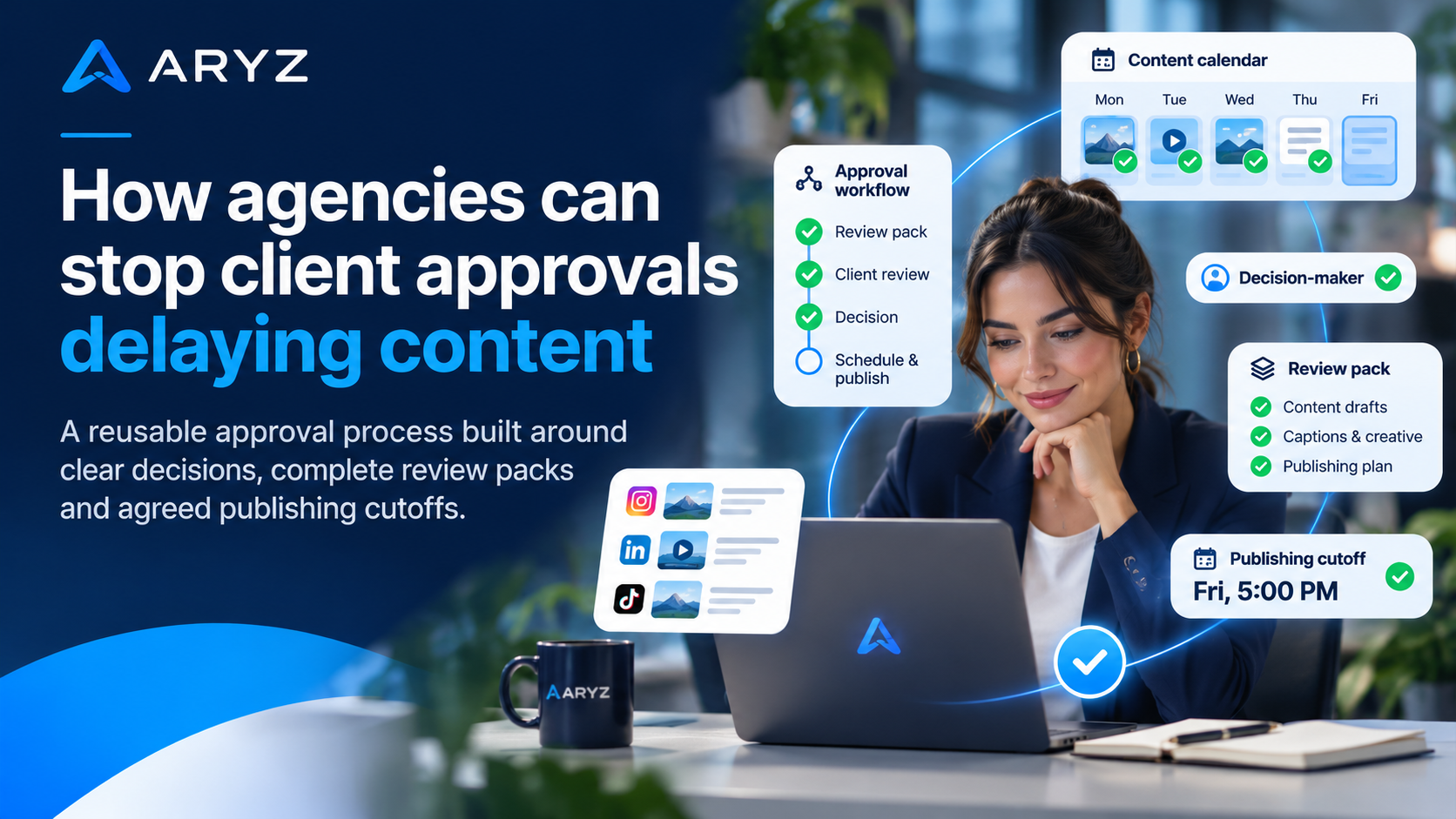
How agencies can stop client approvals from holding up scheduled content
A reusable approval process built around clear decisions, complete review packs and agreed publishing cutoffs.
To stop client approvals routinely holding up scheduled content, give each client a named decision-maker, send complete review-ready posts, and agree approval cutoffs and a late-response fallback before work begins. Treat delays as a workflow-design problem, not just a reason to chase harder. Most importantly, separate a post’s calendar position from its approval status: a planned publishing slot is not permission to publish.
1. Assign decision ownership before drafting
Start with who can decide, rather than which tool sends the reminder.
For each client, name an agency owner who prepares the review pack and a client approver who returns the final decision. Other stakeholders can contribute, but ask the client to consolidate their comments before returning them. Otherwise, the agency is left deciding whose feedback takes priority.
- Agency owner: checks completeness, requests approval and records the outcome.
- Client approver: resolves internal feedback and confirms approval or required changes.
- Backup approver: acts during an agreed absence, with clearly defined authority.
Agree the scope of approval too. Does the contact approve wording and visuals, or must someone else confirm offer details? Route those checks deliberately rather than discovering an extra decision-maker at the publishing cutoff.
2. Separate calendar placement from approval
A content calendar shows intention. An approval record shows permission for a specific version.
Keep the proposed publishing date in one field and editorial status in another. Record technical scheduling separately. This prevents a post that has merely been allocated a slot from looking ready to go live.
| Status | Meaning | Next action |
|---|---|---|
| Draft | Content is still being prepared. | Agency completes its internal checks. |
| Awaiting client | A complete version has been submitted. | Named approver returns a decision. |
| Changes requested | The submitted version needs amendment. | Agency revises and resubmits. |
| Approved | The named approver has accepted the recorded version. | Agency checks publishing readiness. |
| Ready to publish | Approval and final operational checks are complete. | Agency schedules or publishes through a verified route. |
Suggested editorial statuses for a reusable client workflow
Attach approval to the post’s version, not just its title. If an approved caption or image changes materially, return it for review. Keep a separate hold flag for anything that must not publish, even if it was previously approved.
3. Send content that is ready for a decision
Make approval a clear task, not a request to assemble missing context.
Include these details in every review pack
- Post identifier, version and proposed publishing date, time and time zone.
- Final caption and the exact image, carousel or video to be used.
- Intended channel, audience and purpose of the post.
- Call to action and destination link, checked against the intended page.
- Offer details or factual statements that need the client’s confirmation.
- Decision requested, named approver and approval cutoff.
Give the approver three clear responses: approve, request specific changes, or hold. Ask them to attach comments to the relevant post and version. Separate optional preferences from corrections that block publication.
A reusable request could read: Please review version [number] of posts [identifiers] by [cutoff]. Confirm approval, list required changes against each post, or mark it on hold. If no decision arrives, we will follow the agreed fallback.
4. Work backwards from the publishing cutoff
The client’s response deadline should leave space for the work that follows.
Start with the intended publishing slot, then reserve time for final checks, amendments and client review. Set the review-pack handover last. Choose these intervals with the client; there is no single allowance that suits every campaign.
Build the schedule backwards
- 1
Confirm the publishing slot
Decide whether the date is essential or simply preferred.
- 2
Set the final go/no-go cutoff
Leave an agreed buffer for checking the approved version, links and publishing route.
- 3
Reserve an amendment window
Allow for revisions and another decision where required.
- 4
Agree review and handover points
Confirm when the client will review and when the agency must supply the complete pack.
For a batch, identify which posts depend on a fixed event or offer and which can move. Avoid holding every approved post because one unrelated item remains undecided.
5. Agree what happens when approval is late
Make the fallback a shared operating decision, not a last-minute negotiation.
Agree whether an unapproved post will be held, moved to another slot or replaced with suitable, already-approved evergreen content. Name who makes that call. Check that any replacement remains accurate and relevant before using it.
Use reminders to state the decision needed and the consequence of missing the cutoff. A useful message names the outstanding posts and fallback; repeated requests to “check the calendar” leave too much interpretation.
6. Reuse the structure and review the bottlenecks
Standardise the handover while keeping each client’s decision rules separate.
Keep a client-specific approval brief covering owners, review location, status definitions, cutoffs, fallback and version records. Review recurring holds: was the pack incomplete, feedback contradictory, or the approver unavailable? Adjust the relevant step rather than adding reminders everywhere.
ARYS supports separate client workspaces and Business DNA for each business’s services, audiences, tone and approved claims. Its AI-assisted content creation and review, editing and approval workflows can support this operating model while keeping people in control. During early access, confirm which features and publishing connections are available for your intended workflow; do not assume a particular automation is live.
No process can eliminate every delay. The aim is to make pending decisions visible and the next action predictable. For a separate guide to evaluating marketing activity, read Which marketing numbers help you decide where to spend your next £500?
Build a clearer workspace for client content
Create your ARYS account to explore early access and set up your Business DNA. Or book a demonstration to discuss your approval workflow and check current feature availability.